// PLUGIN IMAGES AND PIPELINE STAGES
— In target we have one disadvantage we won’t get values which are not updated so we use this image concept
— When we update any field .. it takes only that perticular filed so this is plugin behaviour
— Plugin Images are two types
1. pre image : to get old values we use pre image
2. post image : to get new values we use post image
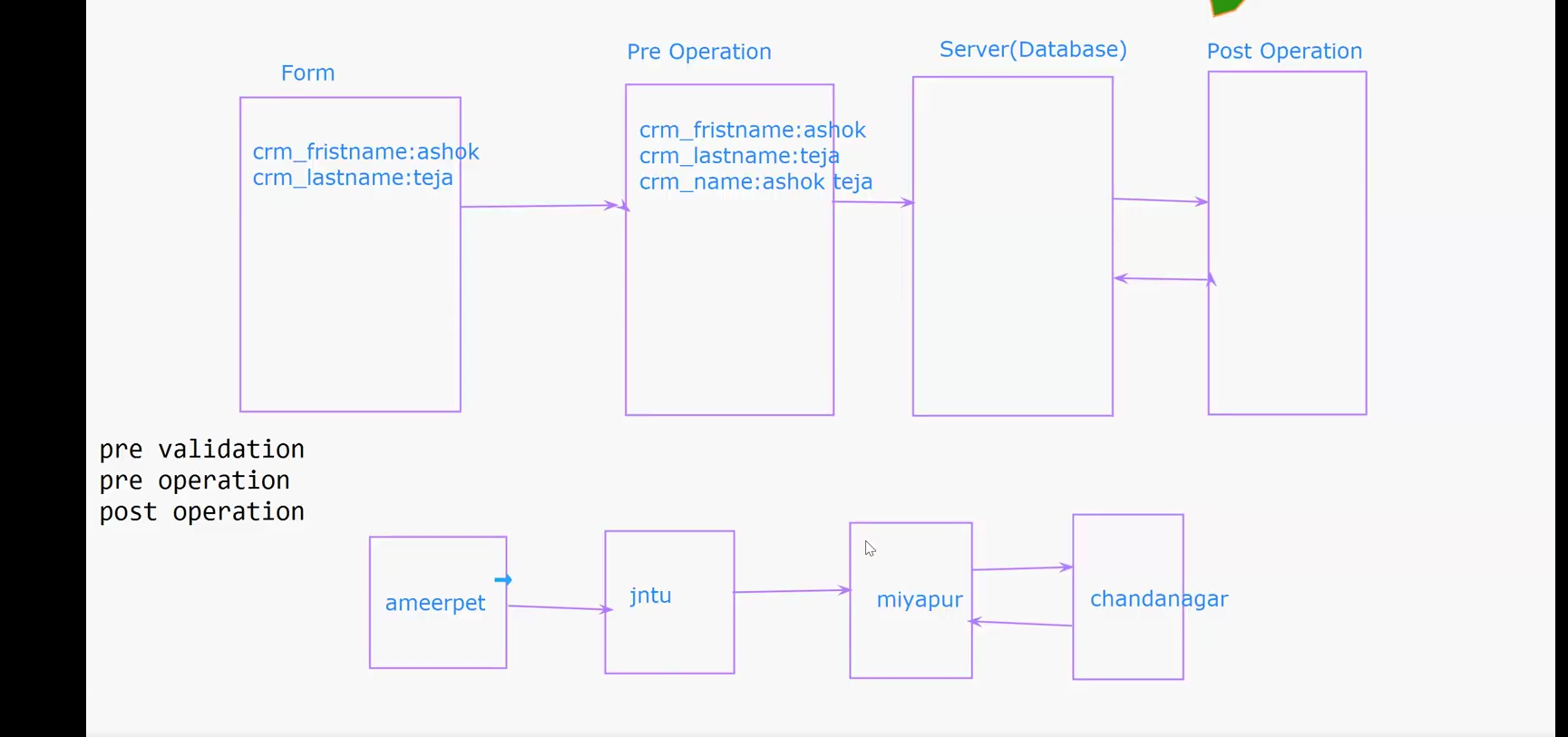
post image = post operation//PLUGIN PIPELINE STAGE or Event execution stages
FORM —-> PreOperation—->Server(Database)—–>PostOperation
-Here when users enters data in form before saving to server preoperation plugins will execute and after saving in
database the postoperation plugins will execute.
-PreValidation
-PreOperation
-PostOperation: we need to send data retrun to server after execution…then only we can fetch data from server
post image = post operation
//syntax for post image
Entity postValues = (Entity)context.PostEntityImages[“latestvalues”]; //if we use image use this to get data insted of using sourcedata
//remember when we set use only sourcedata
//send back to server – crud operations, Create, Update, Delete, retrieve, retrievemultiple
// we are using update in this case
Entity entUpdate = new Entity(); // creating new object
entUpdate.LogicalName = sourceRecordInfo.LogicalName; // we need to give proper instructions which entity we need to update
entUpdate.Id = sourceRecordInfo.Id; //we will have multiple records in entity.. so we need to update guid of record that we need to update
entUpdate[“sdc_fullname”] = fullname; // in record we have multiple fileds so we need to..set which filed we need to update
service.Update(entUpdate); //send data to server
//if else condition when we have both create and update events in plugin
if (context.MessageName.ToLower() == “create”) //by using context.messagename we can indenitfy which event plugin triggering
{
// if plugin execute in CREATE take data from SocurcerecordInfo
}
else{
// take it from the post image
Entity postValues = (Entity)context.PostEntityImages[“latestvalues”]; //if we use image use this to get data insted of using sourcedata
}